Every part of Exprose, place by place.
Five places: Write, World, Story, Characters and Check. A small Tools menu holds the rest. Here is what each one does today.
The whole book, as real pages.
Write shows your manuscript as one continuous book: numbered pages, chapter headings, scene titles you rename in place. Click anywhere and type. Every scene saves on its own as you go, and a quiet word counter sits in the corner.
When AI is on, suggestions arrive in the margin a moment after you pause. They never move your cursor or scroll the page, and they stay until you deal with them:
- Next line: press Tab to take the newest.
- Rewrites and small fixes: shown before and after; Apply changes only that sentence, and Apply all takes several at once.
- Tips: Show me highlights what the note is about and changes nothing.
- Scene ideas: Add scene creates a scene card right after the one you are in.
- New names: Add character starts a page for them, or dismiss the name for this book for good.
Double-click a word for alternatives in context, or select a passage to tighten, expand, simplify, fix grammar or change its tone. Each edit is shown before you apply it, and Undo is always there. Without AI, the same popover still lets you look a name up in your notes, ban a word, or set a preferred spelling.
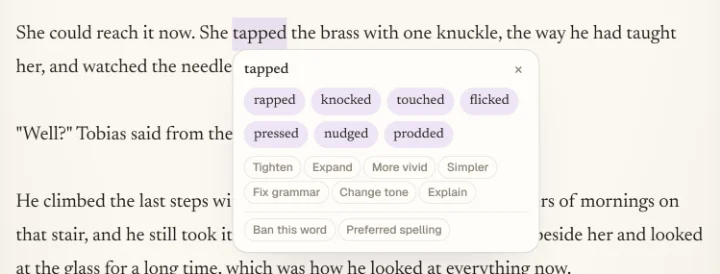
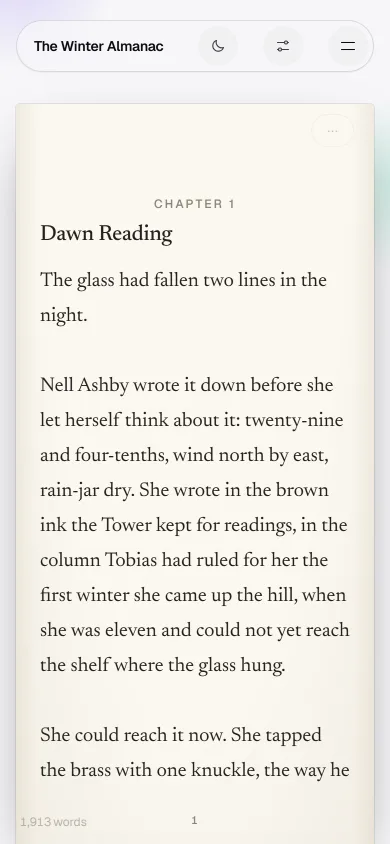
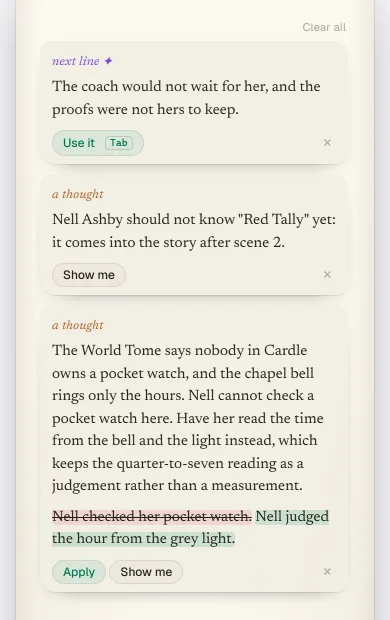
Screenshots of the app at phone width, with the sample book written for this site. The Android app is not released yet.
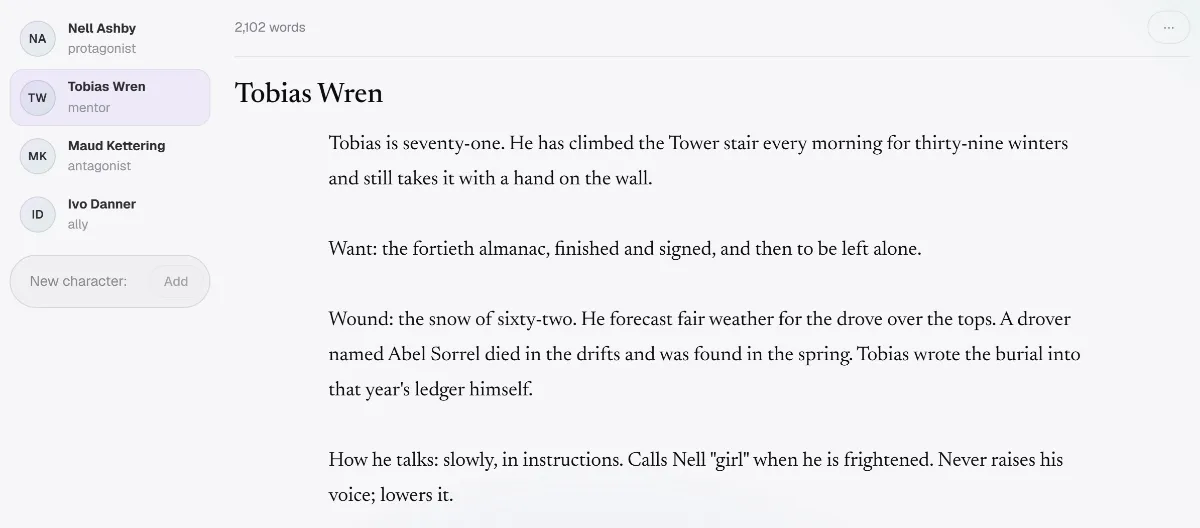
A page for every character, and a conversation at any point in the story.
Create a character with just a name and write about them freely. There are no forms to fill. Exprose reads your page and keeps a structured profile underneath (role, wants, wound, voice, secrets) so suggestions can use it.
Talk to them from their page. Choose a scene and they answer as they are at that moment, from what they have lived. This is the knowledge horizon: a character in chapter 7 does not know chapter 9. A rule-based leak check flags any answer that mentions something introduced later.
- A psychological profile: values, fears, defences and blind spots, drawn from what is on the page.
- Characters who decide: let chosen characters say what they would do next, from who they are and what they know. Nothing is kept until you keep it.
- Snapshots: save a character as they are, and go back to it later.
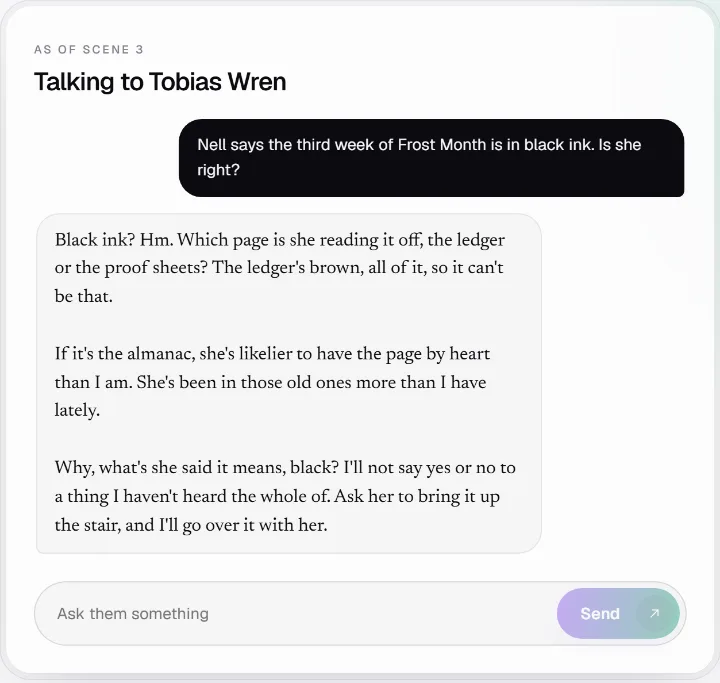
Why this matters
Ask a general chatbot about your character and it has read your whole book, ending included. It cannot help but know too much. Exprose rebuilds each character from the scenes they were in, up to the point you choose.
The same check runs while you write: if your point-of-view character mentions something they have not learned yet, a note appears in the margin.
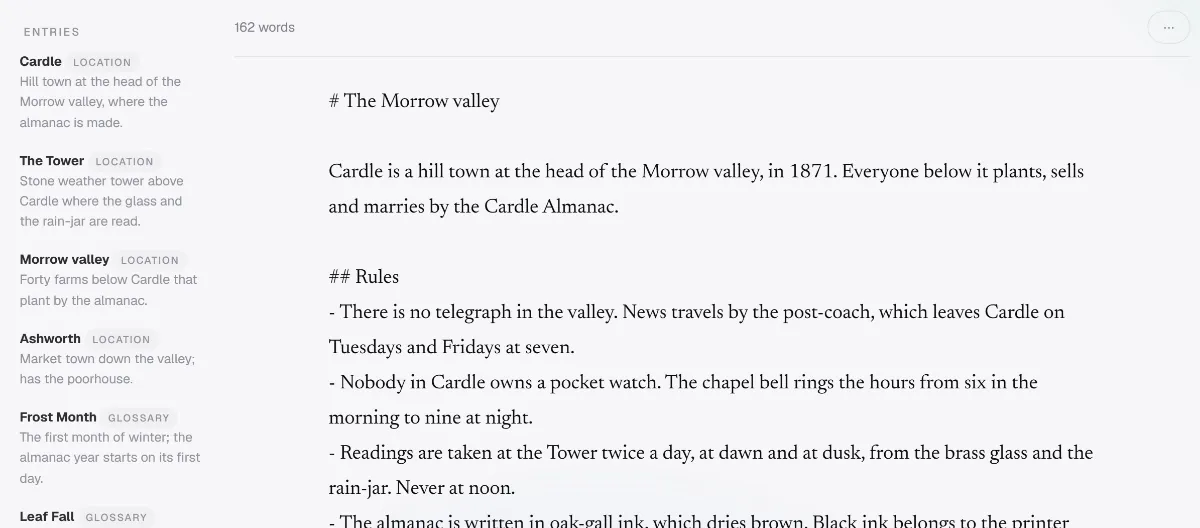
The World Tome: your rules, in your words.
World is one free page for your lore, places, history, magic, technology and how things should feel. Write it however you like, with headings or without.
Every AI suggestion and edit follows the Tome: its vocabulary, its tone and its rules. When a line contradicts it, you get a note that names the rule, often with a fix you can apply in one click.
Character conversations deliberately do not see the Tome, so a character never learns a secret of your world early.
Saved with your book
The Tome is a plain Markdown file, tome.md, in your book's folder. A long Tome is summarised for the AI; your page itself is never cut.
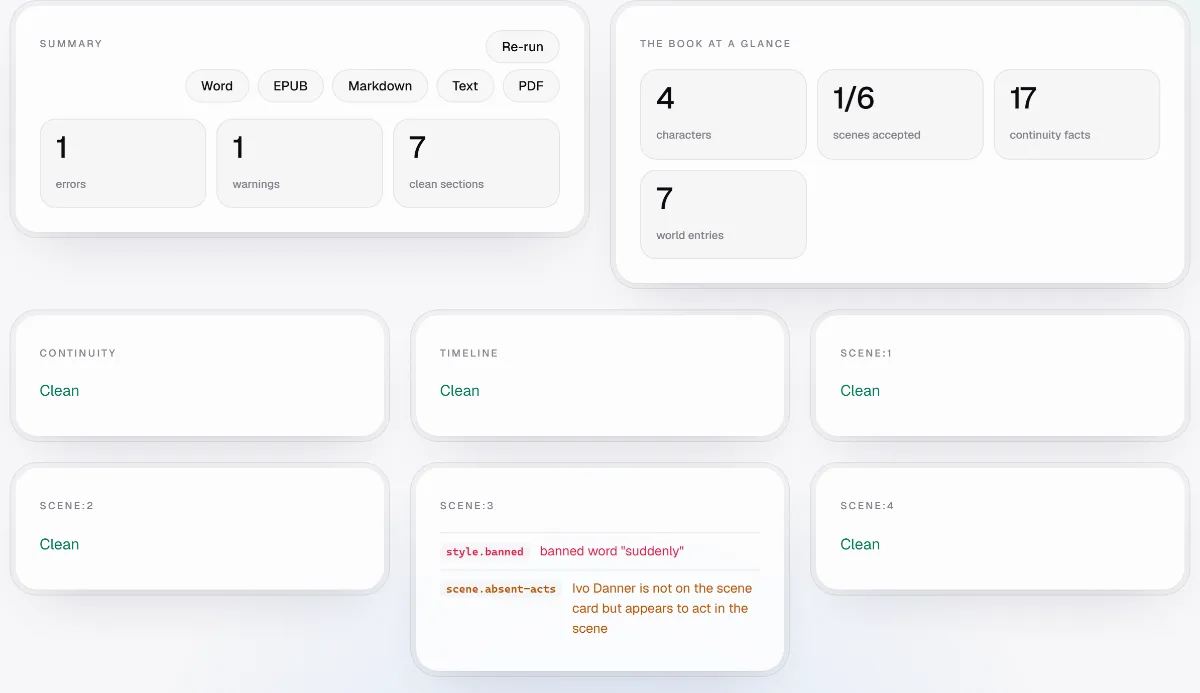
Structure when you want it, checks you can trust.
Story holds your premise, voice and scene cards (point of view, who is in it, goal, conflict, outcome, where and when). None of it is required to write.
Rule-based checks
Check runs without any AI: point of view, tense, timeline, banned words, scene length, characters who act when they are not in the scene, and contradictions with the facts already in your book.
A continuity ledger
With AI on, marking a scene done records its facts and lets the characters who were there remember it. That record is what the knowledge horizon and the continuity checks are built from.
Proofreading
Proofread a scene from the page menu. Fixes arrive in the margin and apply with one click.
It learns how you write, and you decide what counts.
Exprose keeps a profile of your style that follows you from book to book. It learns from your own pages and from every AI draft you rewrite, and it proposes style rules with a before and an after. You mark each one This is me or Not me. Only the rules you confirm are used.
- proposed ruleDrop the dialogue tag once the speaker is clear.
- before (an AI draft)“You read it,” Mara said accusingly. “I didn't,” Ilse replied quietly.
- after (your rewrite)“You read it,” Mara said. “I didn't.” Ilse would not look at the seal.
- An example of a style rule, not a screenshot.
Read your book the way a reader will.
Reading mode turns the manuscript into a page-by-page reader: a two-page spread on a wide screen, one page on a narrow one. Turn pages with the arrow keys, a tap or a swipe. It has contents, text size, light, sepia and night paper, and it remembers your place. Edit this scene takes you straight back to writing.
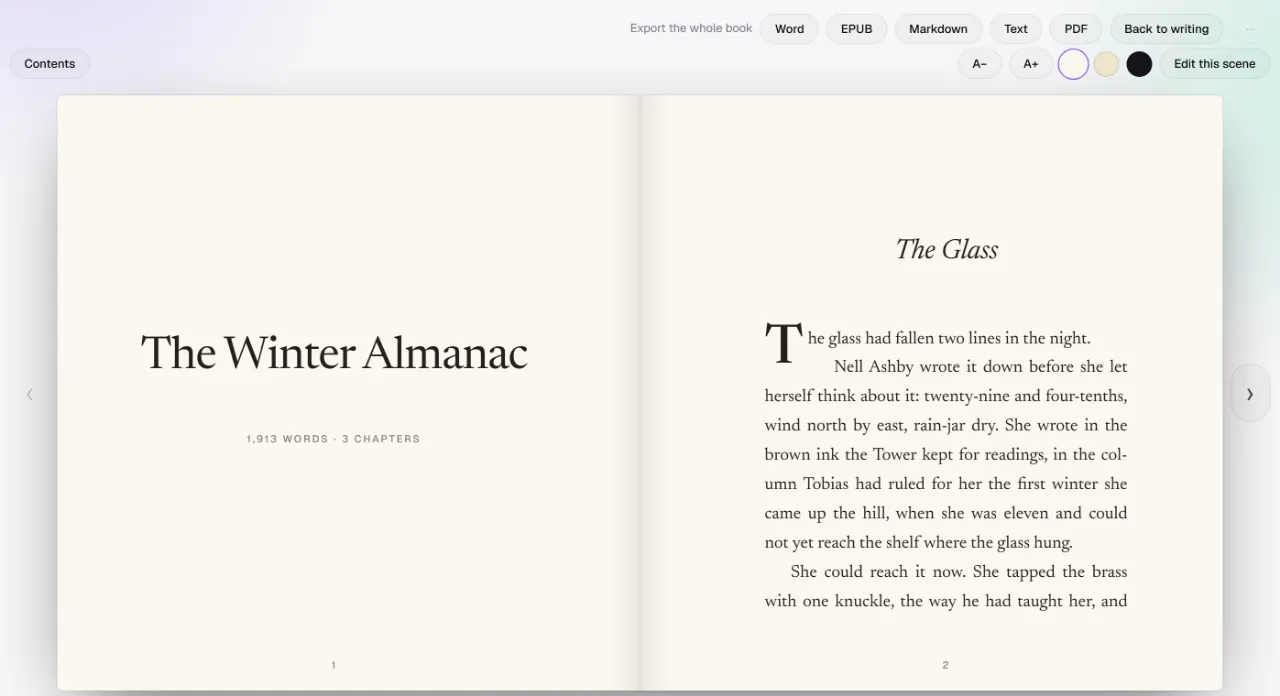
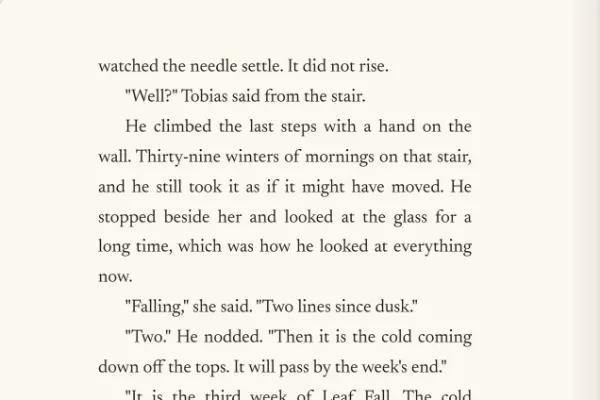
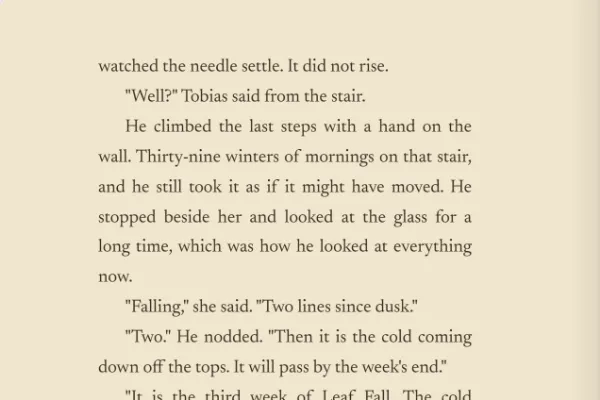
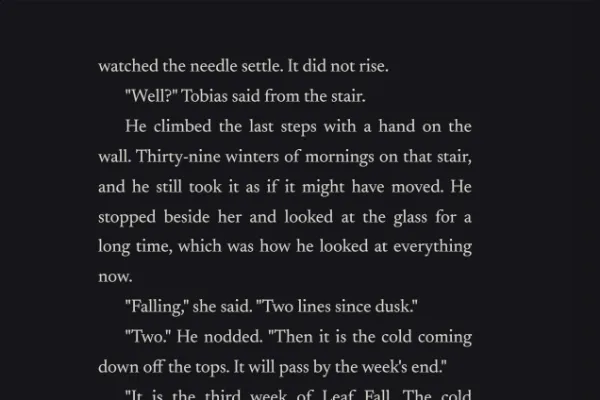
The reader with the sample book, and the three paper colours.
Bring the book you already have. Take it anywhere.
Import splits your manuscript into chapters and scenes, finds the names in it so you can tick your cast, guesses each scene's point of view, and measures your voice from your prose. With AI on, it can also draft the premise, world entries, character sheets and scene cards for you to check.
Import
Word (.docx), OpenDocument (.odt), RTF, Markdown, plain text, HTML, EPUB, PDF, Final Draft, and Scrivener (zip the .scriv folder).
Export
The whole book to Word, EPUB 3, PDF (6×9 inches with page numbers), Markdown or plain text.
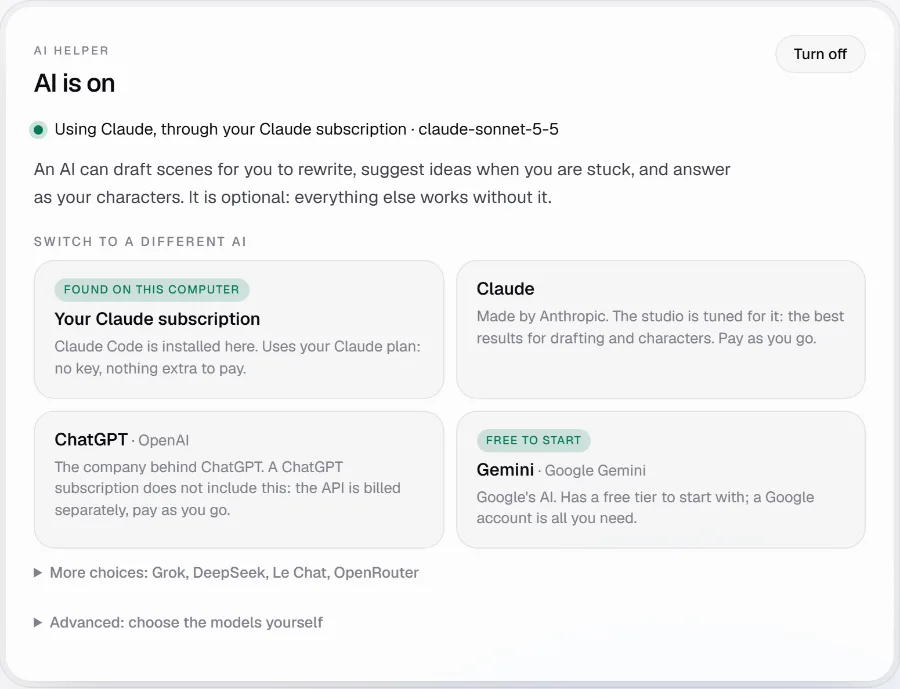
Choose your AI in Settings, or choose none.
Your own key
Anthropic (Claude), OpenAI, Google Gemini, xAI (Grok), DeepSeek, Mistral or OpenRouter. Settings walks you through getting a key and tests it before saving. You pay the AI company directly, at their prices.
On your own computer
Point Exprose at a local model server that speaks the OpenAI-style API, and everything stays on your machine. Or use Claude Code if you already have it installed.
Exprose AI
One subscription, no keys, no accounts with AI companies. See pricing
No AI
Turn AI off and every AI control disappears. The page, characters, Tome, checks, reader, import and export all keep working.
For technical users: Exprose also includes an MCP server, so other AI agents can read and edit your book with the same safeguards.
Plain files, on your disk.
In the Windows app each book is a folder in Documents\Author Studio. Your settings, your API key and your style profile live in the app's own folder on your computer (%APPDATA%\Author Studio). The app's internal server listens only on your own computer, never on your network.
There is no account to make, and we never receive a copy of your book. Read the privacy policy
Free for Windows 10 and 11. Android version coming soon.